
Currency Management
On this page
Monize supports multiple currencies for international users or anyone with accounts in different currencies.
Supported Currencies#
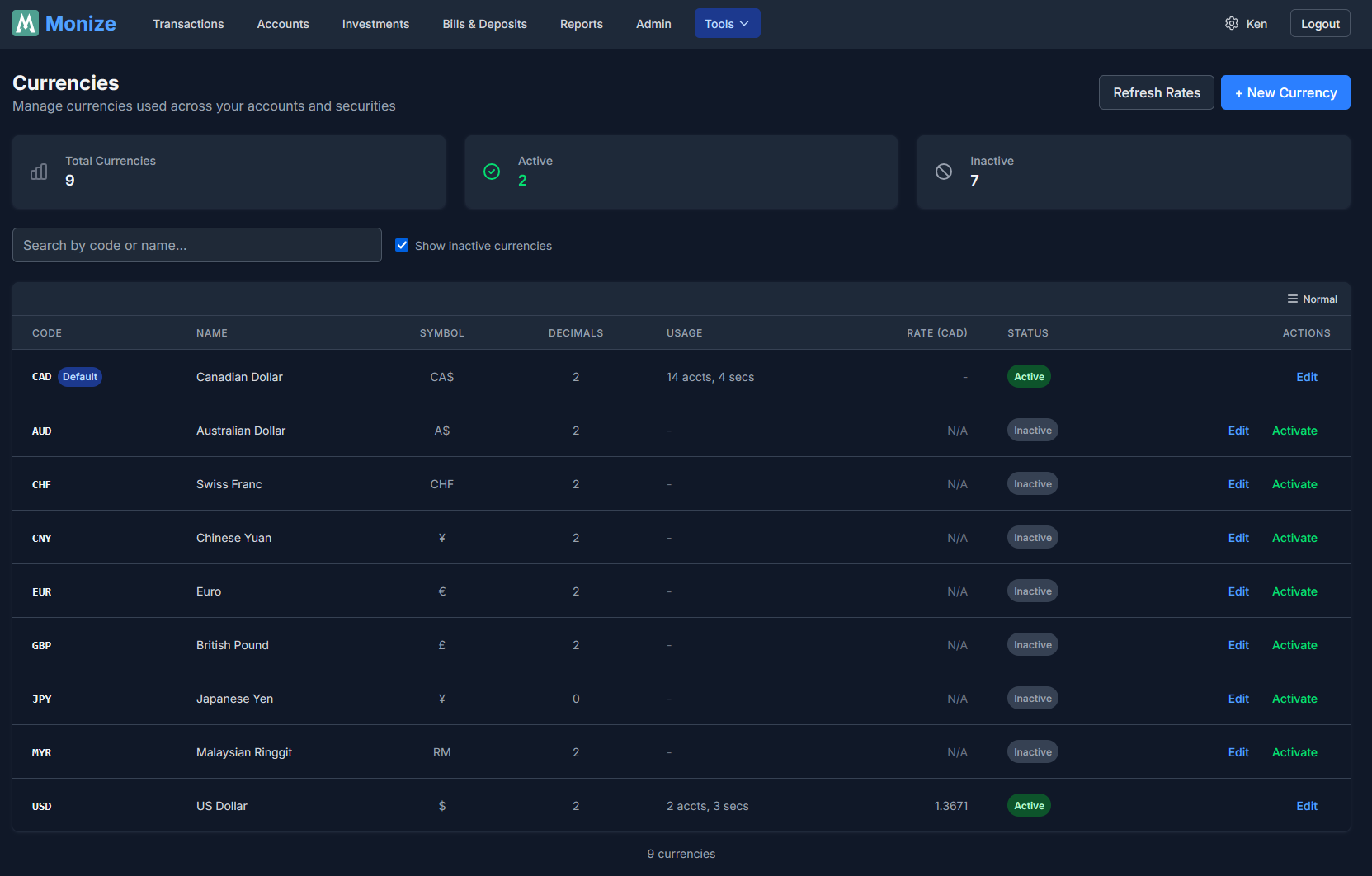
Monize includes 8 currencies out of the box:
| Code | Currency | Symbol |
|---|---|---|
| USD | US Dollar | $ |
| CAD | Canadian Dollar | CA$ |
| EUR | Euro | EUR |
| GBP | British Pound | GBP |
| JPY | Japanese Yen | JPY |
| CHF | Swiss Franc | CHF |
| AUD | Australian Dollar | A$ |
| CNY | Chinese Yuan | CNY |
Managing Currencies#
Navigate to Tools > Currencies to view and manage currencies.
Home Currency#
Your home currency is the primary currency used for:
- Dashboard totals -- All account balances are converted to your home currency
- Net worth calculations -- All assets and liabilities are expressed in your home currency
- Reports -- Financial reports use your home currency for aggregation
Set your home currency in Settings during initial setup or at any time.
Exchange Rates#
Automatic Updates#
Exchange rates are updated automatically on a daily basis. The system fetches the latest rates and stores them historically, allowing for accurate conversion at any point in time.
Historical Rates#
When you import data or need to view past reports, Monize uses the exchange rate that was in effect on the transaction date, not today's rate. This ensures historical accuracy.
Manual Rate Entry#
In some cases (particularly with imported data), you may need to manually adjust an exchange rate for a specific transaction. This is especially common with cross-currency transfers imported from Microsoft Money, where the QIF format does not include exchange rate information.
Cross-Currency Transfers#
When you transfer money between accounts that use different currencies, Monize handles the conversion:
How It Works#
- You create a transfer from Account A (e.g., USD) to Account B (e.g., CAD)
- Enter the amount in the source account's currency
- The destination amount is calculated based on the exchange rate
- Both transactions are linked
During Import#
Cross-currency transfers imported from QIF files require special handling because the QIF format does not record exchange rate information:
- The first side of the transfer is imported as a pending transaction
- When the other account's file is imported, the system matches the pending transfer
- You may need to manually adjust the destination amount to match the actual exchange rate used
This is noted in the transaction with a memo: "PENDING IMPORT: Amount may need adjustment..."
Currency in Reports#
Conversion for Reports#
All reports automatically convert amounts to your home currency using:
- The exchange rate on the transaction date for historical accuracy
- The latest rate for current balance reports
Multi-Currency Accounts in Reports#
When a report includes accounts in different currencies, the amounts are all converted to your home currency before aggregation. This means:
- A spending report correctly compares a $100 USD purchase with a $130 CAD purchase
- Net worth reports accurately combine assets across currencies
Investment Securities and Currency#
Securities trade in specific currencies based on their exchange:
| Exchange | Currency |
|---|---|
| NYSE, NASDAQ, AMEX | USD |
| TSX, TSX-V, NEO, CSE | CAD |
| LSE, LON | GBP |
| XETRA, FRA, EPA, AMS | EUR |
| TYO | JPY |
| HKG | HKD |
| SHA, SHE | CNY |
| ASX | AUD |
If you hold securities that trade in a different currency than your investment account, the market values are converted to the account's currency for display, and to your home currency for portfolio totals.